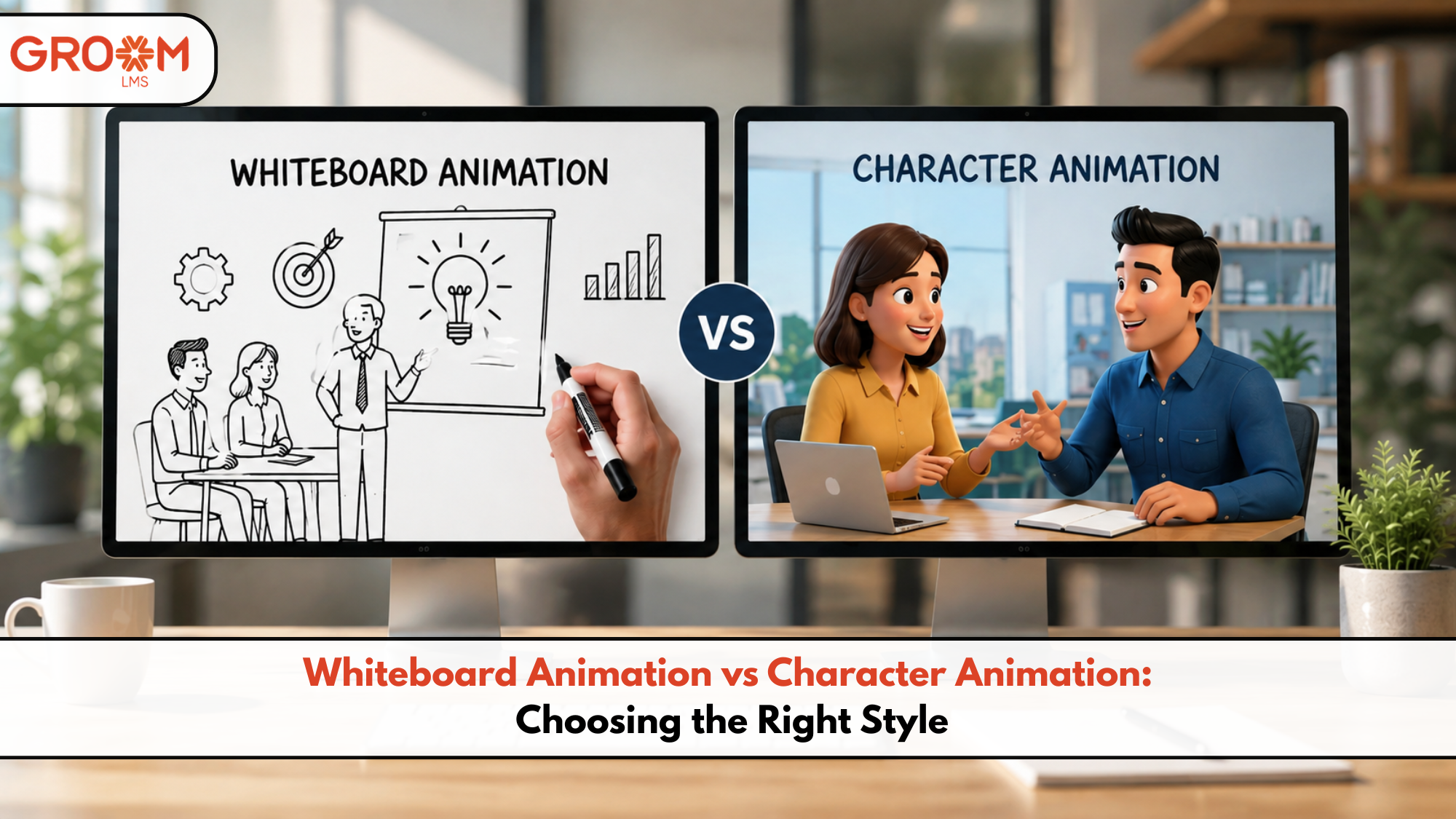
Whiteboard animation vs character animation is a common decision for L&D teams creating engaging e-learning content. The wrong visual style can make even a well-written course feel dull or difficult to follow. However, the right animation style can simplify complex ideas, improve attention, and make learning more memorable.
For HR teams, instructional designers, and corporate training managers, choosing between these two styles often depends on the learning objective. Whiteboard animation works well when you need to explain concepts clearly. Character animation, meanwhile, can bring workplace situations, emotions, and stories to life.
Moreover, organizations need a learning system that makes these videos easy to deliver and manage. With GroomLMS, teams can independently create, organize, assign, and scale digital learning programs without relying heavily on IT support.
So, which animation style should you choose? Let’s compare both approaches and find the right fit for different training needs.
What Is Whiteboard Animation?
Whiteboard animation presents information through illustrated visuals that appear to be drawn on a digital whiteboard.
Typically, the animation combines:
- Hand-drawn illustrations
- Short text elements
- Voiceover narration
- Arrows and visual connections
- Simple icons and diagrams
- Step-by-step explanations
As a result, learners can follow the development of an idea from beginning to end.
Whiteboard animation is particularly useful for explaining processes, definitions, frameworks, and technical concepts. It keeps the visual language relatively simple, allowing the narration and key message to remain the focus.
When Does Whiteboard Animation Work Best?
Consider whiteboard animation when your training needs to:
- Explain a complicated concept
- Introduce a new process
- Break down technical information
- Explain policies or procedures
- Present a framework or workflow
- Summarize key ideas
- Support instructor-led or self-paced learning
For example, a compliance course could use whiteboard animation to explain the steps employees must follow after identifying a workplace safety issue.
What Is Character Animation?
Character animation uses animated people or characters to represent situations, conversations, behaviors, and workplace scenarios.
Instead of simply explaining an idea, it can show the idea in action.
A typical character-based training video may include:
- Workplace characters
- Dialogue
- Facial expressions
- Body language
- Realistic scenarios
- Different environments
- Story-based interactions
Therefore, character animation can create a stronger emotional connection with learners.
For example, a leadership course could show a manager handling a difficult employee conversation. Learners can observe the situation, understand the consequences, and discuss better responses.
When Does Character Animation Work Best?
Character animation is a strong choice for:
- Soft skills training
- Leadership development
- Customer service training
- Workplace communication
- Diversity and inclusion training
- Sales training
- Behavioral training
- Scenario-based learning
Because learners can see realistic situations, character animation often makes abstract behavioral concepts easier to understand.
Whiteboard Animation vs Character Animation: Key Differences
Both styles can support effective learning. However, they solve different communication problems.
| Factor | Whiteboard Animation | Character Animation |
|---|---|---|
| Primary strength | Concept explanation | Scenario storytelling |
| Visual style | Simple and instructional | Story-driven and expressive |
| Best for | Processes and concepts | Behaviors and situations |
| Emotional connection | Moderate | High |
| Production complexity | Usually lower | Usually higher |
| Technical explanations | Excellent | Good |
| Soft skills | Good | Excellent |
| Scenario-based learning | Limited | Excellent |
| Step-by-step processes | Excellent | Good |
| Workplace storytelling | Moderate | Excellent |
Ultimately, the best option depends on what learners need to understand or do after completing the training.
How to Choose the Right Animation Style
Choosing an animation style becomes easier when you start with the learning objective rather than the visual preference.
1. Start With the Learning Objective
Ask one simple question:
What should the learner be able to do after watching this module?
If the answer involves understanding a process, whiteboard animation may work better.
On the other hand, if learners must respond appropriately to a situation, character animation could be more effective.
For example:
- “Explain the five steps of the process” → Whiteboard animation
- “Respond to an angry customer” → Character animation
- “Understand a financial concept” → Whiteboard animation
- “Handle a difficult team conversation” → Character animation
This approach keeps the animation connected to the actual training outcome.
2. Consider the Complexity of the Topic
Complex topics often benefit from visual simplification.
Whiteboard animation can break large ideas into smaller visual pieces. Arrows, diagrams, icons, and illustrations can guide attention without overwhelming learners.
However, some topics require context.
If the learner needs to understand relationships, emotions, or consequences, character animation can provide that missing context.
3. Think About Your Audience
Different audiences respond to different learning experiences.
For example, technical employees may benefit from straightforward visual explanations. Customer-facing employees, meanwhile, may benefit from realistic conversations and scenarios.
Therefore, consider:
- Learner roles
- Existing knowledge
- Training environment
- Age and experience levels
- Cultural context
- Learning preferences
The animation should support the audience rather than simply look impressive.
4. Match the Animation to the Content Format
Animation does not have to work alone.
You can combine animated videos with:
- Quizzes
- Knowledge checks
- Assessments
- Simulations
- PDFs
- Interactive activities
- Certifications
- Discussion prompts
For instance, a whiteboard animation could introduce a compliance concept. Then, a character-based scenario could show how employees apply that concept at work.
This blended approach can create a more complete learning experience.
Whiteboard or Character Animation: Practical Examples
The easiest way to decide is to look at real training situations.
Compliance Training
Whiteboard animation can explain rules, procedures, and reporting processes clearly.
Character animation can then demonstrate what happens when an employee encounters a compliance issue.
Using both styles can make compliance training more practical.
Product Training
Whiteboard animation works well for explaining product features, specifications, or processes.
However, character animation can demonstrate a salesperson explaining the product to a customer.
Therefore, the choice depends on whether the focus is knowledge or application.
Leadership Training
Leadership training often involves human behavior.
For this reason, character animation is usually a stronger choice for scenarios involving feedback, conflict resolution, delegation, or difficult conversations.
Technical Training
Whiteboard animation can simplify technical concepts through diagrams and sequential explanations.
For example, an IT course could use animated illustrations to explain how a system workflow operates.
Should You Use Both Animation Styles?
Absolutely. In many cases, combining them creates a stronger course.
For example, imagine a workplace safety module:
- Whiteboard animation introduces the safety procedure.
- Character animation shows an employee facing a risky situation.
- The learner answers a scenario-based question.
- A short animation explains the correct response.
- An assessment checks knowledge retention.
This approach moves learners from explanation to application.
Moreover, it prevents the course from becoming visually repetitive.
How an LMS Makes Animated Training Easier to Scale
Creating an engaging animation is only one part of digital learning. Organizations also need to distribute, manage, track, and update that content.
This is where an LMS becomes important.
With GroomLMS, organizations can manage digital learning programs from a centralized platform. L&D teams can create courses, assign training, monitor learner progress, manage assessments, and support scalable learning delivery.
The platform also reduces dependency on technical teams. Consequently, training managers can spend more time improving learning experiences instead of managing complicated systems.
For example, an organization could:
- Upload animated training modules
- Organize them into structured courses
- Assign courses to specific employee groups
- Track completion and assessment results
- Manage certifications
- Monitor learner progress
- Update training content when requirements change
As training requirements grow, this centralized approach makes learning easier to manage.
A Simple Decision Framework
Before selecting an animation style, ask these five questions:
- What is the learning objective?
- Does the topic require explanation or demonstration?
- Do learners need emotional or situational context?
- How complex is the information?
- Will the animation be part of a larger interactive course?
If the training focuses on concepts, processes, or technical explanations, start with whiteboard animation.
If it focuses on behavior, communication, or workplace situations, consider character animation.
However, when a course needs both understanding and application, combining the two may deliver the strongest result.
Common Mistakes to Avoid
Animation alone does not guarantee effective learning. In fact, poorly planned animation can distract learners.
Avoid these common mistakes:
Choosing Style Before Learning Objective
Do not choose an animation style simply because it looks attractive. Start with what learners need to achieve.
Adding Too Many Visuals
More movement does not always mean more engagement. Keep visuals focused on the message.
Overloading the Voiceover
Avoid squeezing too much information into a single video. Instead, divide complex subjects into shorter learning segments.
Ignoring Interactivity
A video can introduce knowledge, but learners also need opportunities to apply it.
Add questions, scenarios, assessments, or activities where appropriate.
Forgetting Content Management
Training content eventually needs updates. Therefore, choose a learning platform that allows your team to manage and scale courses efficiently.
Conclusion
Choosing between whiteboard animation vs character animation should start with the learning goal, not the production style. Whiteboard animation is excellent for simplifying concepts, processes, and technical information. Character animation is stronger when learners need to understand behaviors, conversations, emotions, and realistic workplace situations.
However, you do not always have to choose just one. A carefully designed course can combine both styles to move learners from understanding a concept to applying it.
At the same time, effective animation needs an equally practical delivery system. GroomLMS helps organizations manage digital training, assessments, certifications, learner progress, and course delivery from one scalable platform.
Ultimately, the best animation is the one that makes the learning objective easier to understand, remember, and apply.
Transform Your Corporate Learning with GroomLMS
Discover how GroomLMS empowers your organization to streamline training, enhance learner engagement, and deliver impactful learning experiences with an AI-powered LMS built for growth.
Request a Demo | Schedule a Consultation | Chat with Our Team
Frequently Asked Questions (FAQs)
What is the difference between whiteboard animation and character animation?
Whiteboard animation focuses on explaining concepts through illustrations and diagrams. Character animation uses people, dialogue, and scenarios to demonstrate behaviors or situations.
Which animation style is better for employee training?
It depends on the learning objective. Whiteboard animation works well for processes and concepts, while character animation suits soft skills, behavioral training, and workplace scenarios.
Can an LMS host animated training videos?
Yes. Modern LMS platforms can host digital training content and help organizations distribute, manage, and track learner progress across courses.
Can whiteboard and character animation be used in the same course?
Yes. Combining both styles can create a more engaging learning experience. Whiteboard animation can explain a concept, while character animation can demonstrate its practical application.
How can GroomLMS support animated employee training?
GroomLMS enables organizations to organize and deliver digital learning programs, assign courses, track learner progress, manage assessments and certifications, and scale training without continuous IT dependency.